AI Cold Email vs AI Marketing Email: Different Rules for Prompts, Compliance and Sending
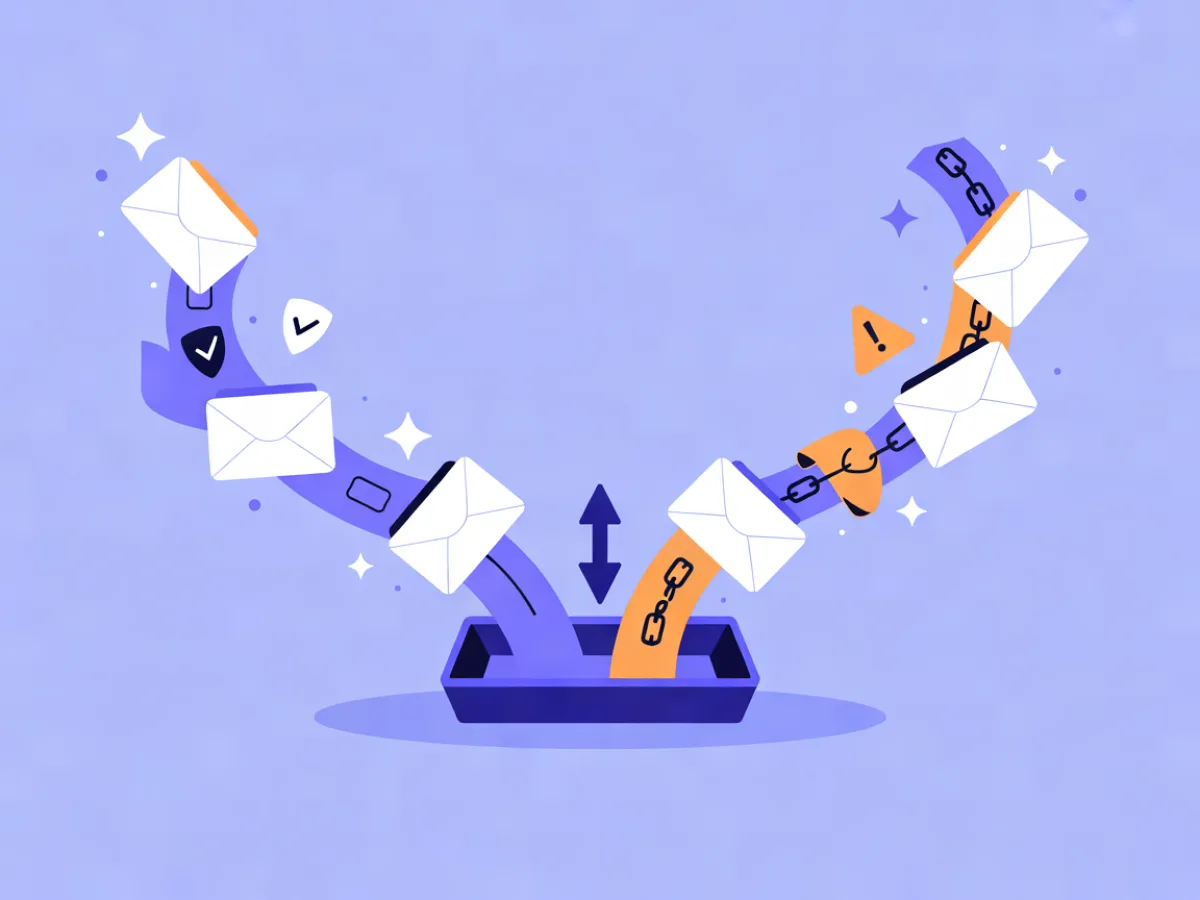
Cold email and marketing email are not the same job, even when the same AI tool writes both. In an ai cold email vs marketing email comparison, the dividing line is consent: cold outreach goes to someone who has never heard of you, so the AI prompt has to be built around relevance signals (role, company, trigger event), compliance leans on a documented legitimate interest and a working opt-out, and sending should run on separate domains with warm-up. Marketing email goes to someone who opted in, so the prompt is built around what they signed up for, compliance leans on consent records and unsubscribe handling, and sending runs on your main authenticated domain.
The same AI tool can draft both. What cannot be swapped is the input and the guardrails. A prompt that works for a newsletter ("write a friendly update about our new reporting feature") produces something useless as cold outreach, because it assumes context the recipient does not have. A cold prompt that works ("write to a logistics operations manager whose company just opened a second warehouse") produces something oddly specific and slightly pushy when sent to your own subscribers.
This article covers where the two paths diverge — prompts, compliance, sending setup, follow-up logic — and how to pick the right setup for the way you actually acquire contacts.
Comparison table: cold outreach vs marketing email
Verified competitor details below were checked on 2026-10-21 on the vendors' official pricing pages.
| Dimension | Cold outreach | Marketing email |
|---|---|---|
| Consent basis | No prior relationship; often legitimate interest for B2B, with a documented reason and a working opt-out | Recorded consent, frequently double opt-in, plus visible unsubscribe and suppression list |
| Typical audience | Named roles at named companies, sourced from a list you built | People who signed up through a form, checkout, event or content download |
| AI prompt inputs | Role, company, industry, trigger event, one specific reason you are writing | Signup source, what they downloaded or bought, last engagement, segment membership |
| What the AI must never invent | A mutual connection, a past purchase, a prior reply, a referral | A discount, a deadline, a product claim, a customer result |
| Subject line style | Short, plain, low-commitment; often lowercase and specific to the trigger | Branded, benefit-led, matched to the campaign and the segment |
| Sending domain setup | Separate domain or subdomain, warmed up, low volume per mailbox | Main authenticated domain with DKIM, SPF and DMARC verified |
| Follow-up logic | Short sequence, stops immediately on reply, no more than a few touches | Branches on clicks, purchases, inactivity and time since signup |
| Compliance focus | Opt-out clarity, accurate sender identity, list source records | Consent records, unsubscribe handling, suppression of bounces and complaints |
| Success metric | Replies and meetings booked | Clicks, conversions, revenue per send, retention |
| Where AI saves the most time | First-draft personalization at list scale | Campaign copy, subject lines, and drafting whole automation flows |
The table describes the job, not the tool. Most AI email features are built with the marketing side in mind, because that is where the volume is. If you use them for cold outreach, you are the one who has to add the missing inputs and the guardrails.
Key differences that matter
Prompt inputs: trigger versus history
A cold prompt needs one concrete reason you are writing to this person now. "We help logistics teams cut delivery delays" is a positioning statement, not a trigger. "Their job posting mentions a new distribution center opening in Q3" is a trigger. The AI can only personalize around what you feed it, so cold prompts live or die on the data columns you bring.
Marketing prompts work the other way. The contact already has history with you, and the useful inputs are that history: which lead magnet they downloaded, whether they opened the last three sends, what they bought. A prompt like "write a follow-up for contacts who downloaded the pricing guide but never started a trial" gives the AI something real to work with. If you want a closer look at how much of the email these tools actually produce end to end, our comparison of AI newsletter generators is a useful companion read.
What the AI must not fabricate
Cold email fails hardest when it invents familiarity. Models will happily produce "I noticed we both know someone at your company" or "following up on my last note" when neither is true. Both read as deception, and recipients notice. Lock those phrases out of your prompt and review the first twenty drafts by hand.
On the marketing side, the risk is commercial rather than relational. AI will invent a discount code, a deadline, or a performance claim if the prompt leaves room for it. Give the model the exact offer text and forbid anything not in it. This is the single highest-value review step in either workflow.
Sending infrastructure
Cold outreach should not run on the domain that carries your transactional and marketing mail. If cold sending damages reputation, you do not want password resets and order confirmations going down with it. Use a separate domain or subdomain, warm it up gradually, and keep volume per mailbox low.
Marketing email belongs on your main domain, authenticated properly. Mailerflow's own-domain sending includes guided DKIM, SPF and DMARC setup with automatic verification, plus automatic suppression of bounces and complaints and warm-up limits — the kind of plumbing that matters more on the marketing side, where a reputation hit affects every future send.
Follow-up logic
Cold sequences are short and reply-driven. Three or four touches, each adding a new angle, and the sequence stops the moment someone replies. Anything longer reads as pressure.
Marketing automations are branch-heavy. A welcome flow might split on whether the contact clicked, then wait, then split again on whether they purchased. This is where an AI automation builder earns its place: describe the workflow in a sentence — "welcome new signups, wait two days, send the getting-started guide, and if they have not clicked anything after a week, send a re-engagement note" — and Mailerflow drafts the trigger, waits, conditions and emails for you to review before activation. You still approve the logic; you just skip the blank canvas. The same applies to the AI email builder, which turns a description into a complete responsive design with subject lines and preview text.
Compliance: where the two paths diverge
This is a practical overview, not legal advice, and rules vary by country — check your own obligations.
Cold B2B outreach in many jurisdictions relies on legitimate interest: you can contact someone in a professional capacity if you have a genuine, documented reason, you identify yourself accurately, and opting out is easy and honored immediately. The burden is on you to keep records of where each contact came from.
Marketing email relies on consent. That means a record of when and how someone opted in, usually double opt-in, a visible unsubscribe in every send, and a suppression list that survives imports. Mailerflow's embeddable signup forms support double opt-in and consent records, and the GDPR toolset covers data export, erasure, consent logs and configurable retention, with data hosted in Europe. Those features matter on the marketing side specifically — they are not a substitute for cold outreach compliance work.
Pricing compared: what you actually pay for
Cold outreach tools and marketing platforms price on different units. Cold tools commonly charge per mailbox or per lead; marketing platforms commonly charge per contact or per email sent. Check the official pages for current numbers, since these change.
| Vendor | Verified plan facts |
|---|---|
| MailerLite | Every paid plan gets the full feature set, with higher prices only for a bigger list or more sending. Power includes unlimited monthly emails, unlimited automations, unlimited forms, unlimited user seats, and a free trial with no credit card required. Comfort includes 50 automations and 10 forms. Yearly billing saves 10%. |
| Mailchimp | Standard is free for 14 days, then starts at $20/month, with up to 6,000 emails per month. Generative AI features, enhanced automations and custom-coded templates are included. |
| Brevo | Free plan is free forever with no credit card needed. Starter includes from 5,000 emails per month, a drag-and-drop editor, templates, an AI content generator for subject lines and copy, and advanced segmentation. Yearly billing offers a 10% discount. |
| ActiveCampaign | Every plan includes AI credits. Pro includes predictive sending at each contact's best time and conditional content. |
| EmailOctopus | Free Starter supports up to 2,500 subscribers and 10,000 emails per month. Pro is $9/month billed yearly for 10,000 subscribers. No free trial. |
| Mailerflow | Free plan: $0/month, 2,500 contacts, 10,000 emails/month. Paid plans from $14.90/month with unlimited emails. Yearly billing costs the same as 10 months. |
Strengths and trade-offs of each option
Cold outreach reaches people who have never heard of you, which is its whole point. It works well for niche B2B lists where you can name the role and the trigger, and it gives fast feedback on messaging — if a subject line flops, you know within a day. The trade-offs are real: deliverability risk, low reply rates, manual list hygiene, and a heavier compliance burden per contact.
Marketing email compounds. Engagement is higher because people asked to hear from you, measurement is cleaner, and automations keep working while you sleep. The trade-offs are slower list growth, a hard boundary against emailing people who never opted in, and the fact that AI output still needs brand review before it goes out.
On the tool side, the verified facts point to different centers of gravity. MailerLite suits teams that want one full feature set on every paid plan. Mailchimp suits those who want generative AI features and custom-coded templates on Standard. Brevo offers a free-forever entry point and multi-channel reach. ActiveCampaign is built around AI-driven optimization, with predictive sending and conditional content on Pro. EmailOctopus keeps things low-cost and simple. Kit could not be verified for this article — check its official pages directly.
Which to choose for marketers who want complete emails drafted by AI
- Choose a cold outreach setup if you are building a list from scratch, your buyers are reachable by role and company, and you can run separate sending domains with proper warm-up.
- Choose a marketing platform if you already collect signups and want AI to draft campaigns and automations tied to real behavior — opens, clicks, purchases, inactivity.
- Choose both if cold outreach opens conversations and you move responders into an opted-in list once they engage. Keep the two data sets separate until consent exists.
If you want the drafting handled for you, Mailerflow's AI email builder turns a description into a complete responsive design with subject lines and preview text, and the AI automation builder drafts a workflow from one sentence for review before activation. CSV import checks for duplicates and invalid addresses, and free migration help covers contacts, suppression lists, templates and core automations on eligible paid plans.
FAQ
Can I use the same AI prompt for cold email and marketing email?
No. Cold prompts need a trigger and a role; marketing prompts need signup source and prior behavior. The guardrails differ too — cold drafts must avoid invented familiarity, marketing drafts must avoid invented offers.
Do I need a separate domain for cold outreach?
It is strongly recommended. Warm up a separate domain or subdomain and keep volume per mailbox low, so a deliverability problem never touches the domain carrying your transactional and marketing mail.
Is AI-written cold email legal?
It depends on your jurisdiction and your consent basis. In many places B2B outreach can rely on documented legitimate interest with a working opt-out, but rules vary and this is not legal advice — check your local requirements.
Can AI write a full sequence, not just one email?
Yes. Describe the workflow in a sentence and tools like Mailerflow's AI automation builder draft the trigger, waits, conditions and emails for you to review before activation.
Should I move cold contacts into my marketing list?
Only with consent. Until someone opts in, keep them in a separate system with their own suppression rules, and treat a reply as the start of a conversation rather than automatic permission to add them to your newsletter.
Describe your next email or automation in one sentence and let Mailerflow's AI build it — free plan, no credit card.