Promotional Emails: How to Write Offers That Convert
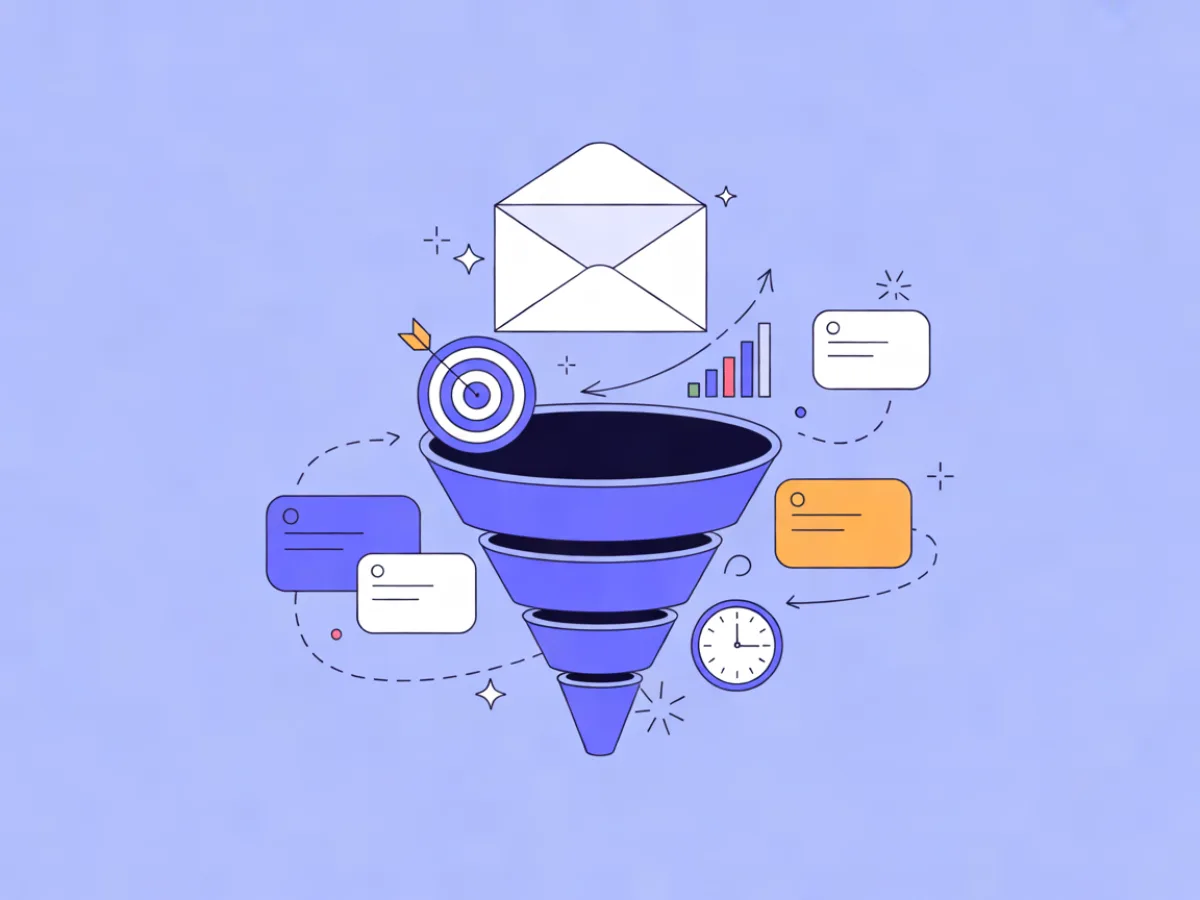
Promotional emails are messages whose primary job is to drive one specific action around an offer: buy, claim, register, restock, upgrade, or come back. Everything else — the design, the copy, the send time — exists to make that action obvious and easy. This guide covers how to frame an offer so it reads as valuable rather than desperate, how to structure the email, how to segment it, and how to use urgency honestly.
What promotional emails actually are
A promotional email has a commercial ask. A discount, a launch, a restock, a bundle, a deadline, a free trial, an event invitation — if the reader is expected to do something that moves money or commitment, it's promotional.
That distinguishes it from two neighbours:
- Transactional emails confirm something the subscriber already did: a receipt, a shipping update, a password reset. They're expected, they're triggered, and they carry no persuasion.
- Lifecycle and editorial emails build the relationship: onboarding tips, newsletters, product education. Their job is to keep you familiar and useful, not to close a sale.
The line isn't about automation. A cart-recovery email, a win-back sequence, or a restock alert is promotional even though it's triggered rather than blasted. What makes it promotional is intent, not delivery mechanism.
This matters because promotional emails carry the commercial moments of your calendar, and they're also the emails most likely to be ignored, filtered, or reported. The craft is therefore about relevance and clarity — not volume. Sending more promotions to a list that doesn't want them is the fastest way to make every future email harder to deliver.
This article is the pillar piece for our Promotions cluster. Supporting articles on specific promotion types are linked throughout as they publish.
The anatomy of a promotional email
Work through the parts in the order a subscriber experiences them. Each one has a common failure mode.
Subject line and preview text
These work as a single unit. The subject earns the open; the preview extends it with new information.
- Do:
20% off running shoes — ends Sunday/ preview:All sizes, in-store and online. - Don't:
Don't miss out!/ preview:Don't miss out!
Sender name and from-address
Use a recognizable, consistent name. If subscribers know you as "Northline Coffee," don't send from "Marketing Team." Consistency is a deliverability asset as much as a branding one.
Above the fold
State the offer plainly and show the primary call to action without scrolling. A large decorative hero image that pushes the offer below the fold is one of the most common promotional email mistakes.
Body
What's included, who it's for, and the constraints: exclusions, dates, minimum spend, one-per-customer limits. Constraints aren't fine print to hide — they're the difference between a sale and a complaint.
Secondary CTA
Some readers won't buy today. Give them one alternative — browse the collection, save for later, read the guide — rather than four competing buttons.
Footer
Unsubscribe, preference centre, and your legal or physical address where required. Non-negotiable, and a preference centre is better than a single unsubscribe link because it lets people reduce frequency instead of leaving.
A visual block editor with headings, hero blocks, product blocks, columns and social links makes this structure quick to assemble and worth saving as a reusable template. Mailerflow's editor works this way, and the AI email builder can generate a complete responsive design plus subject lines and preview text from a short description — useful when you're producing several promotion variants in a week.
Framing the offer: the decision that decides everything
Before you design anything, write the offer as one sentence. If it doesn't fit in one sentence, it isn't ready.
Compare:
Save up to 20% on selected footwear20% off all running shoes, ends Sunday
The second is stronger because it removes three ambiguities: how much, on what, and until when. "Up to" and "selected" force the reader to do work to find out whether the offer applies to them, and most won't.
The underlying calculation is simple: perceived value minus effort minus risk. You increase value with a bigger or clearer benefit. You reduce effort by making the offer specific and the path short. You reduce risk with free returns, no-commitment trials, or a guarantee.
Some framing decisions worth making deliberately:
- Percentage vs. absolute. On a $200 item, $20 off feels concrete and 10% off feels abstract. On a $15 item, 20% off reads better than $3 off. Match the framing to the price point.
- Free shipping vs. discount. Free shipping often reads as removing a penalty rather than discounting the product, which protects perceived value. It's also a threshold tool: "free shipping over $50" raises average order value in a way "10% off" doesn't.
- Bundle vs. single item. Bundles let you discount without devaluing any individual product. See our guide to bundle offer emails for templates that make the combined value obvious.
- Deadline vs. threshold. "Ends Sunday" creates urgency. "Spend $50 for free shipping" creates a target. Both work; they do different jobs.
If you're weighing shipping against a straight discount, free shipping emails covers when each framing tends to win.
Urgency without manipulation
Real urgency exists: a sale genuinely ends, stock is genuinely limited, a launch window genuinely closes. Fake urgency is manufactured: countdown timers that reset when they hit zero, "last chance" sent three times, scarcity invented for a product you have thousands of.
The cost of fake urgency is cumulative. Subscribers learn your patterns. The first reset timer costs you a little trust; the third costs you the open. And spam complaints — which damage deliverability for every email you send, not just the promotion — tend to come from people who feel tricked rather than people who feel bored.
Honest alternatives:
- State the actual end date and time zone. "Ends Sunday 11:59pm ET" is more credible than a ticking clock.
- Explain why the deadline exists. "Our spring stock ships back to the warehouse Monday" gives the deadline a reason.
- Send one reminder, not a barrage. A three-email sequence is plenty: announcement, a mid-point nudge only if it adds information (new stock, a popular size selling out), and a final-hours email.
- Let the deadline pass. If you extend every deadline, you've taught your list that your deadlines are fiction.
Treating readers as intelligent adults is a long-term play. It's also the only version of urgency that survives contact with a list you plan to email for years.
Structure and copy: a repeatable pattern
A structure you can reuse for almost any promotion:
- Offer in the subject line and the first line of body copy.
- One sentence of value: what the reader gets and why it matters.
- A visual of the product or the deal.
- Three to five supporting details or product picks.
- Constraints and dates.
- One primary CTA, repeated once further down.
- A secondary link for people who aren't ready.
Copy rules that do most of the work:
- Write to one person. "You" beats "our valued customers."
- Lead with the benefit, not the mechanism. "Your order ships free" beats "We've updated our shipping policy."
- Cut adjectives. "Huge sale" says less than "30% off."
- Use the words your subscribers use, not your internal category names.
- Keep paragraphs to one or two sentences.
- Make the CTA a verb phrase:
Shop the sale,Claim your trial,Pick your size. NotClick here.
On length: match the offer's complexity, not a word target. A single-product flash sale can be 120 words. A bundle with five components and exclusions needs more room. Our flash sale email templates show how short a promotion can be and still convert.
When you and a colleague disagree about a subject line or CTA, settle it with a test rather than an argument. Mailerflow supports A/B testing of campaigns, which is the right tool for exactly this kind of question.
Segmentation: who gets which promotion
Sending the same offer to your entire list is usually the weakest version of a promotion. The same discount that delights a lapsed buyer insults someone who paid full price yesterday.
Practical segments to build:
- Engaged vs. lapsed — recent openers and clickers vs. people who haven't interacted in months.
- Category buyers vs. never-bought — someone who buys running shoes every season responds to a shoe promotion differently from someone who only ever bought socks.
- High-value vs. discount-sensitive — the first group responds to early access; the second responds to price.
- New subscribers vs. long-term — new subscribers may need a first-purchase incentive; long-term ones may need a reason to return.
Suppression matters as much as targeting. Don't send a discount to people who just paid full price. Don't send a win-back offer to someone who unsubscribed from that product category. Don't re-send to someone who already converted.
Dynamic segments built on fields, tags, engagement, events and website behaviour make this manageable. Mailerflow can also build a segment from a plain-language description using AI segmentation, which is useful when you know the audience you want ("bought once, hasn't opened in 90 days") but not the filter combination.
Three example pairings:
| Segment | Offer | Why it fits |
|---|---|---|
| Engaged, bought in last 6 months | Early access to new arrivals | Rewards loyalty without discounting |
| Lapsed, previously bought category X | 15% off category X, 7-day window | Reconnects through a known interest |
| New subscribers, no purchase | Free shipping on first order | Lowers the first-purchase barrier |
Send time is part of segmentation too. Scheduling and "send when the contact is most active" in automations remove some of the guesswork about when a promotion lands.
Promotional email examples
The following are illustrative examples written for this article — not real campaigns or customer results.
Seasonal sale to engaged subscribers
Subject: 25% off everything, through Sunday
Framing: sitewide, dated, no exclusions to parse. Works because engaged subscribers already know the products; they only need the terms.
Launch / early access to a warm segment
Subject: You get first pick — new trail series, 48 hours early
Framing: access instead of discount. Works because it rewards attention without training the list to wait for sales.
Cart abandonment with a small incentive
Subject: Still thinking about the linen shirt?
Framing: reminder first, incentive second — and only if the reminder alone doesn't recover the cart. Works because it respects the reason the person hesitated.
Win-back for lapsed contacts
Subject: It's been a while — here's 20% to come back
Framing: acknowledges the gap, gives a concrete reason to return, sets a clear window. Works because it's honest about the relationship.
Restock with genuine scarcity
Subject: Back in stock — 40 pairs, then gone
Framing: real inventory, real number. Works because it's verifiable, which is what separates it from invented scarcity.
Common mistakes
- Burying the offer below a big hero image. Fix: offer in the first line of visible text.
- Same discount for everyone. Fix: segment, and suppress recent full-price buyers.
- Fake countdown timers. Fix: state the real end date and time zone.
- Subject lines that overpromise. Fix: the email must deliver exactly what the subject implies.
- Too many competing CTAs. Fix: one primary action, one secondary link.
- No mobile or plain-text check. Fix: render both before sending.
- Sending to unengaged contacts. Fix: suppress long-term non-openers from promotional sends.
- Forgetting exclusions. Fix: list them in the email, not only on the landing page.
- No reminder sequence. Fix: schedule announcement, mid-point, final hours.
- Measuring only opens. Fix: track clicks, conversions and complaints.
On deliverability specifically: before a large promotional send, make sure your sending domain is authenticated with DKIM, SPF and DMARC, that bounces and complaints are suppressed automatically, and that you're monitoring reputation. Mailerflow provides own-domain sending with guided DKIM, SPF and DMARC setup, automatic suppression of bounces and complaints, and reputation monitoring with warm-up limits. If you're evaluating platforms generally, the features overview lists what's included where.
Pre-send checklist
- Offer written as one sentence
- Subject and preview read as a pair
- Primary CTA visible without scrolling
- Dates, time zone and exclusions verified
- Segment and suppression list reviewed
- Plain-text version and mobile rendering checked
- All links tested
- Unsubscribe and preference links present
- Sending domain authenticated
- A/B test set up if there's a real question to answer
- Reminder emails scheduled
- Results review booked for after the send
FAQ
How often should I send promotional emails? As often as you have a genuine offer and your engaged segment is still responding. Watch clicks and complaints rather than a fixed number — if complaints rise or clicks fall across consecutive promotions, you're sending more than your list wants.
Should promotional emails be plain text or designed? Both have a place. A designed email suits product-led offers where visuals carry the value; a plain-text-style email can suit a personal note or a simple deadline reminder. Always include a plain-text alternative for deliverability.
How long should a promotional email be? As long as the offer needs and no longer. A single-product discount can work in under 150 words; a bundle with exclusions needs more room to explain itself.
Can promotional emails be automated? Yes. Cart recovery, win-back, restock alerts and birthday offers are all promotional and all triggered. Mailerflow's visual automations support waits, conditions, webhooks and AI steps, with triggers on signups, events, dates, inactivity and website behaviour.
How do I write a subject line that isn't clickbait? State the offer or the benefit plainly, and make sure the email delivers exactly that. If the subject would feel misleading when read next to the email body, rewrite it.
What's the difference between a promotional email and a newsletter? Intent. A newsletter builds the relationship over time; a promotional email asks for a specific action by a specific point. The same list receives both, and the promotional ones work better when the newsletter has done its job.
If you'd rather spend your time on the offer than on building the email, describe the promotion in a sentence and let the AI email builder produce a complete responsive design, subject lines and preview text you can edit from there.