An AI-First Email Marketing Workflow for Small Teams
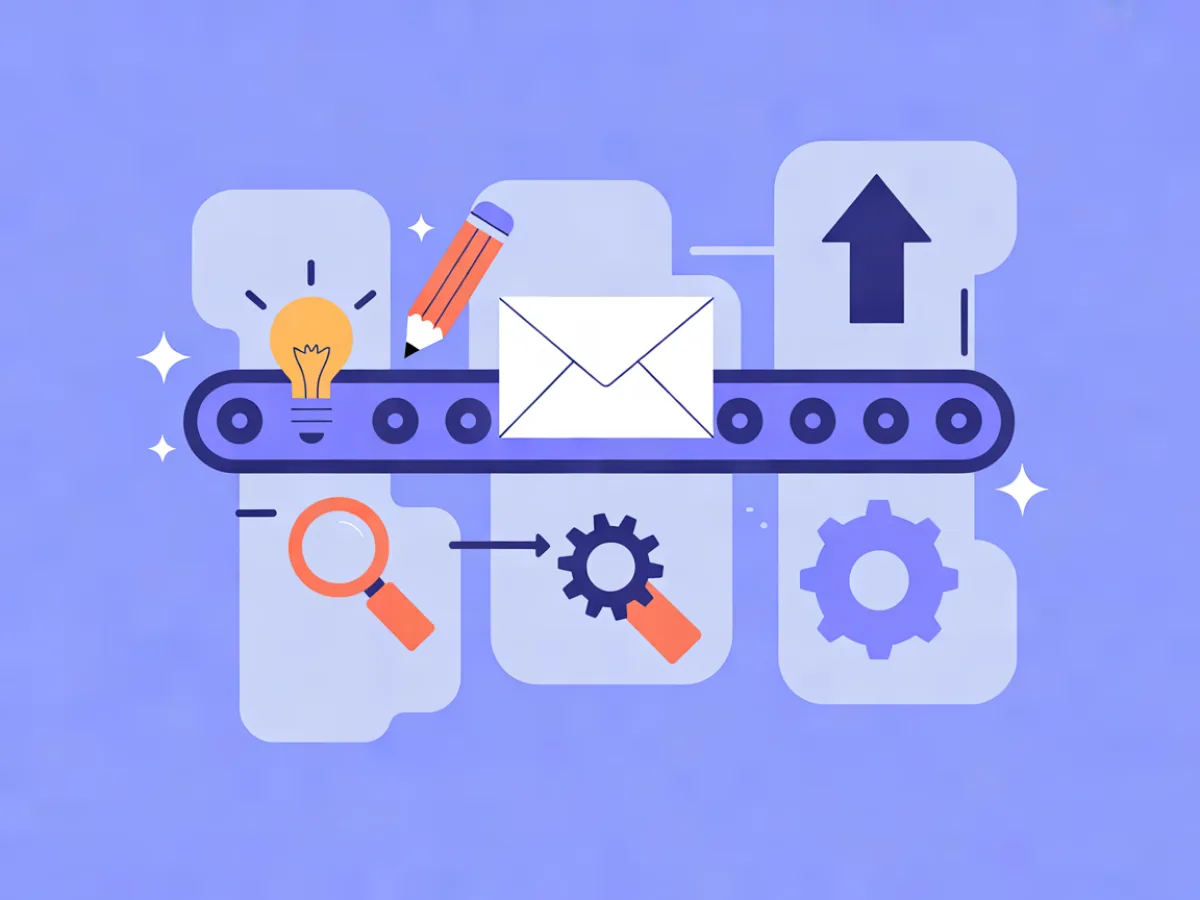
An AI-first email marketing workflow is a weekly loop where AI produces the first draft of every asset — the email design, the copy, the subject line, the automation logic, even the segment definition — and humans own the judgment calls: offer, audience, claims, timing, and final approval. For a small team, that division of labour is the point. Your bottleneck is rarely ideas; it's the hours between "we should send something" and a tested campaign in an inbox. This guide walks through a five-stage weekly rhythm with realistic time estimates per step, the decisions that matter at each stage, and the mistakes that quietly undo the gains.
What an AI-first email marketing workflow actually means
It helps to separate three postures, because people use the same words for different things:
- AI-assisted: you write the email, then ask AI to tighten a paragraph or suggest subject lines. AI is a tool you reach for occasionally.
- AI-first: AI drafts everything first — layout, copy, subject line, preview text, automation skeleton, segment logic — and a human reviews, edits, and approves before anything goes live.
- AI-automated: AI sends without meaningful human review. This is fine for low-stakes, high-volume transactional messages with proven templates, and risky for campaigns where claims, tone, and consent matter.
AI-first is a division of labour, not a tool choice. You can run it with almost any modern platform. What changes is who does the first pass: the machine, not the marketer. The human role shifts from production to editing, judgment, and strategy — which is usually where a founder or a two-person marketing team adds the most value anyway.
A quick note on the term itself: an "ai email workflow" and an "ai marketing process" describe the same loop at different scopes. The workflow is the weekly sequence of tasks. The process is the set of rules and approvals that govern it — who signs off, what must be checked, what never gets delegated.
If you are still deciding where to send from, see the Best Email Marketing Platforms compared side by side, with prices checked daily on each provider's own pricing page.
The weekly rhythm at a glance
The loop below assumes one campaign and one automation change per week. That's a sustainable pace for a small team and enough to compound over a quarter.
| Stage | When | Time | Who |
|---|---|---|---|
| 1. Plan: goal, audience, offer, brief | Monday | 30 min | Human |
| 2. Draft with AI: email, subject lines, automation | Monday–Tuesday | 45–60 min | AI, prompted by human |
| 3. Review and edit | Tuesday | 45 min | Human |
| 4. Build, segment, QA | Wednesday | 30–45 min | Human, AI-assisted |
| 5. Send, monitor, feed results back | Rest of week | 15 min/day | Human |
That's roughly three to four hours per week. Treat these as illustrative planning figures, not benchmarks — your first two weeks will run longer while you tune your brief template, and a complex multi-branch automation can take considerably more.
Stage 1: Plan the week's campaign and automation
Before you open any AI tool, make three decisions and write them down:
- One goal. A launch, a re-engagement push, one nurture step. Not three.
- One audience. A specific segment, described in plain language.
- One offer. What the reader gets and what you want them to do.
Then write a one-paragraph brief. This is the highest-leverage 30 minutes in the whole loop, because vague input produces generic output. AI is very good at filling a shape and very bad at guessing your intent.
An example brief for a fictional B2B SaaS running a webinar:
Audience: trial users who signed up in the last 14 days and have not invited a teammate. Goal: get 15% of them to register for Thursday's 30-minute onboarding webinar. Offer: live walkthrough plus a recording and a checklist. Tone: direct, practical, no hype. One CTA, to the registration page. Constraints: no claims about time saved; we have no data to support them.
That last line matters. Constraints in the brief are how you keep AI from inventing things you can't stand behind.
Stage 2: Let AI produce the first draft
AI should draft three things, not one:
- The email itself — structure and copy.
- Subject line and preview text — several options, so you're choosing rather than accepting.
- The automation skeleton — trigger, waits, conditions, and the emails inside it.
In Mailerflow, the AI email builder takes a description and returns a complete responsive design plus subject lines and preview text. The AI automation builder takes a sentence and drafts the workflow — trigger, waits, conditions, and emails — for you to review before it's activated. Both are starting points, not finished assets.
A concrete prompt, continuing the webinar example:
Write a 150-word email to trial users who signed up in the last 14 days
and haven't invited a teammate. Goal: register for Thursday's 30-minute
onboarding webinar. Tone: direct and practical. One CTA button:
"Save my seat". No claims about time saved. Mention the recording
and the checklist as a fallback for people who can't attend.
And a concrete automation sentence:
When someone signs up but doesn't open the first email within three days,
send a short reminder; wait two days; if they still haven't opened,
send a case study; exit the workflow as soon as they open any email.
Notice what the human supplied: the audience, the goal, the tone, the constraint, and the exit condition. AI supplied the structure and the phrasing. That's the trade. Budget 45–60 minutes including a round or two of prompt iteration — the second attempt is usually much better than the first because you've seen what the model misunderstood.
Stage 3: Review and edit like an editor, not a proofreader
This is the discipline that separates an AI-first workflow that works from one that damages your brand. Proofreading catches typos. Editing catches wrongness.
Check, in this order:
- Facts and claims. Every number, capability, and promise must be something you can substantiate. AI will happily write "cuts onboarding time in half" if the brief doesn't forbid it.
- Voice. Read it aloud. If it sounds like a press release rather than a person, rewrite.
- One clear CTA. Two competing calls to action halve both.
- Links and merge fields. Click every link. Check that personalisation fields render for a contact with missing data.
- Mobile layout. Most readers are on a phone; check the button size and the first screen.
Then apply the habit that carries the most weight: rewrite the first line and the CTA yourself. Those two elements drive most of the response, and they're the two places where generic phrasing is most obvious. AI gets you 80% of the way in minutes; the last 20% is where your judgment shows.
For a fuller pass, our checklist on reviewing AI-generated emails before you hit send walks through the same steps in more detail. Budget 45 minutes.
Stage 4: Build, segment and QA
Now the approved draft becomes a live asset.
Segmentation. Build the audience as a dynamic segment so it updates itself — based on fields, tags, engagement, events, or website behaviour. If your platform supports it, you can also describe the segment in plain language and let AI translate that into rules, then verify the rule set by hand. Always check the count before you send.
Automation. In a visual builder, assemble the trigger, waits, conditions, and emails. Triggers typically cover signups, events, dates, inactivity, and website behaviour, and steps can include webhooks and AI steps for personalisation. If you described the workflow in a sentence in Stage 2, this is where you confirm the draft matches your intent — particularly the exit conditions.
QA pass. Send a test to yourself and one colleague. Confirm the trigger fires for a test contact. Confirm suppression and consent rules apply. Confirm the automation exits when someone converts, so nobody receives a reminder after they've already registered.
Budget 30–45 minutes. If you're new to the platform, add 15 minutes the first time.
Stage 5: Send, watch, and feed results back
Monitor delivery, bounces, complaints, clicks, and approximate opens — per campaign and overall. Run A/B tests on subject lines or content where you have enough volume to learn something. In automations, consider sending when each contact is most active rather than at a fixed hour.
Then close the loop, which is the step almost everyone skips. Write down what the AI got wrong this week — tone too formal, paragraphs too long, offer framed as a feature instead of an outcome — and add those notes to your brief template. Next week's first draft starts closer to right. This is what makes the workflow compound instead of plateau. Fifteen minutes a day is enough.
A worked example: one week, one campaign, one automation
An illustrative scenario, not a customer story. A two-person team at a fictional language-learning app has a list of trial users who went quiet.
Monday (30 min). Brief: goal is to reactivate users who haven't opened an email in 30 days; offer is a new 10-minute daily lesson format; tone is encouraging, not guilt-tripping; constraint is no claims about fluency timelines.
Tuesday (50 min). They prompt the AI email builder with the brief and get a full design plus three subject lines. They prompt the automation builder with: "When a contact hasn't opened an email in 30 days, send the win-back email; wait four days; if still no open, send a single-line check-in asking what changed; exit if they open anything." The draft comes back with a trigger, two waits, and two emails.
Wednesday (40 min). Review. The human rewrites the first line — the AI version opened with "We miss you," which reads as needy — and changes the CTA from "Explore now" to "Try today's lesson." They remove a sentence implying users would "speak fluently in weeks" because it can't be substantiated. They build the segment, check the count, wire the automation, and send a test to two inboxes.
Thursday. Send. Friday (15 min). Review clicks and approximate opens, note that the shorter subject line won, and add "avoid guilt framing" to the brief template.
Total: about three hours. The following week, the same loop runs faster because the brief template carries the constraints.
Where AI should not decide
Draw these lines once and hold them:
- Consent and legal basis. Who you may email, and why, is a human and legal decision.
- Claims and compliance. Anything regulated, comparative, or numeric needs a source you can point to.
- Pricing and offers. AI can phrase a discount; it should not invent one.
- Sensitive moments. Refunds, complaints, outages, and apologies need a human voice.
- Final send approval. Someone signs off, every time.
These are exactly the places where the review step earns its keep. If you're early in the process, where to start with AI email marketing for small businesses covers the setup decisions that come before this loop.
Common mistakes in an AI-first email workflow
- Briefing AI with a topic instead of a goal and audience. "Write about our new feature" produces filler. "Get trial users who haven't invited a teammate to book a demo" produces an email.
- Skipping the edit pass. Polished-looking output is not correct output. Flat, generic copy is the most common symptom.
- Letting AI write claims you can't substantiate. Add explicit constraints to every brief.
- Automating a sequence before the manual version works. Prove the message on a small segment first.
- Building automations with no exit condition. Contacts loop, get annoyed, and unsubscribe.
- Ignoring deliverability while scaling volume. Own-domain sending with DKIM, SPF, and DMARC configured, plus a sensible warm-up, matters more than any copy tweak.
- Never reviewing results. Without the feedback loop, week 20 looks exactly like week 1.
- Treating AI output as final because it looks finished. The better the draft, the easier it is to skip the edit.
Weekly checklist
- [ ] Brief written: one goal, one audience, one offer, explicit constraints
- [ ] AI draft generated for email, subject lines, and preview text
- [ ] Automation skeleton drafted from a one-sentence description
- [ ] First line and CTA rewritten by a human
- [ ] Every claim verified or removed
- [ ] All links clicked; merge fields tested with missing data
- [ ] Segment built and count confirmed
- [ ] Automation trigger, waits, and exit conditions tested
- [ ] Test email sent to two inboxes, including a mobile view
- [ ] Approval given by a named person
- [ ] Results reviewed; notes added to the brief template
FAQ
How much time does this actually save? It depends on how much you were writing before. The consistent gain is in the first draft and the automation setup — the parts that used to start from a blank page. Review and QA still take real time, and you shouldn't try to compress them.
Do I need a big list for this to work? No. The workflow is about how you produce and review, not volume. Small lists benefit more from careful segmentation and a tested automation than from sending more often.
Will AI-written emails hurt deliverability? Deliverability is driven mainly by sending practices — authentication, list hygiene, complaint rates, and engagement — not by whether a human or a model typed the first draft. Unedited AI copy that reads as spammy can affect engagement, which is why the edit pass matters.
Can AI build automations or just copy? Both, in platforms that support it. Mailerflow's AI automation builder drafts the trigger, waits, conditions, and emails from a sentence, and you review before activation.
What should stay human? Consent, claims, pricing, sensitive communications, and final approval. Everything else can start as an AI draft.
How do I keep the AI output on-brand? Put tone rules and forbidden phrases in the brief, keep a short style note you paste into every prompt, and rewrite the opening line yourself. Consistency comes from the brief, not from the model.
Where Mailerflow fits
If you want to run this loop in one place, Mailerflow covers the pieces it needs: an AI email builder that turns a description into a responsive design with subject lines and preview text, an AI automation builder that drafts workflows for review, visual automations with waits, conditions, webhooks, and AI steps, and triggers on signups, events, dates, inactivity, and website behaviour. Segmentation is dynamic — fields, tags, engagement, events, website behaviour — with AI segmentation from a plain-language description, and there's A/B testing, scheduling, and send-when-most-active in automations. Deliverability support includes own-domain sending with guided DKIM, SPF, and DMARC setup, automatic suppression of bounces and complaints, and warm-up limits. Analytics cover delivery, bounces, complaints, clicks, and approximate opens; GDPR tools include data export, erasure, consent logs, and configurable retention, with data hosted in Europe.
The Free plan includes 2,500 contacts, 10,000 emails a month, and 100 AI actions a month, so you can run the workflow for a few weeks before deciding. Paid plans start at $14.90/month with unlimited emails.
This article is the pillar of our AI Workflow cluster. As supporting pieces are published — on review checklists, automation design, and segmentation — we'll link them here so you can go deeper on any single stage.
Describe your next email or automation in one sentence and let Mailerflow's AI build it — free plan, no credit card.