Email Marketing Best Practices: A Practical Checklist Ranked by Impact
Email marketing best practices are a ranked set of decisions, not a list of tips: protect permission and deliverability first, because nothing else matters if the email never lands or the contact never opted in; then get relevance and segmentation right, because that is where most results are won; then tune cadence, mobile rendering and testing, which compound slowly. This guide walks through each tier with a concrete action you can take this week. It is the pillar article of the Core Best Practices cluster, and supporting articles will be linked here as they publish.
What "email marketing best practices" actually means
Most advice on this topic is a flat list: use a subject line, segment your list, test on mobile. The problem with a flat list is that it gives you no way to decide what to fix first when you have limited time.
A better mental model is a ranked set of decisions. Some choices are foundational — if you get them wrong, no amount of clever copywriting will save the campaign. Others are optimizations that matter once the foundation holds.
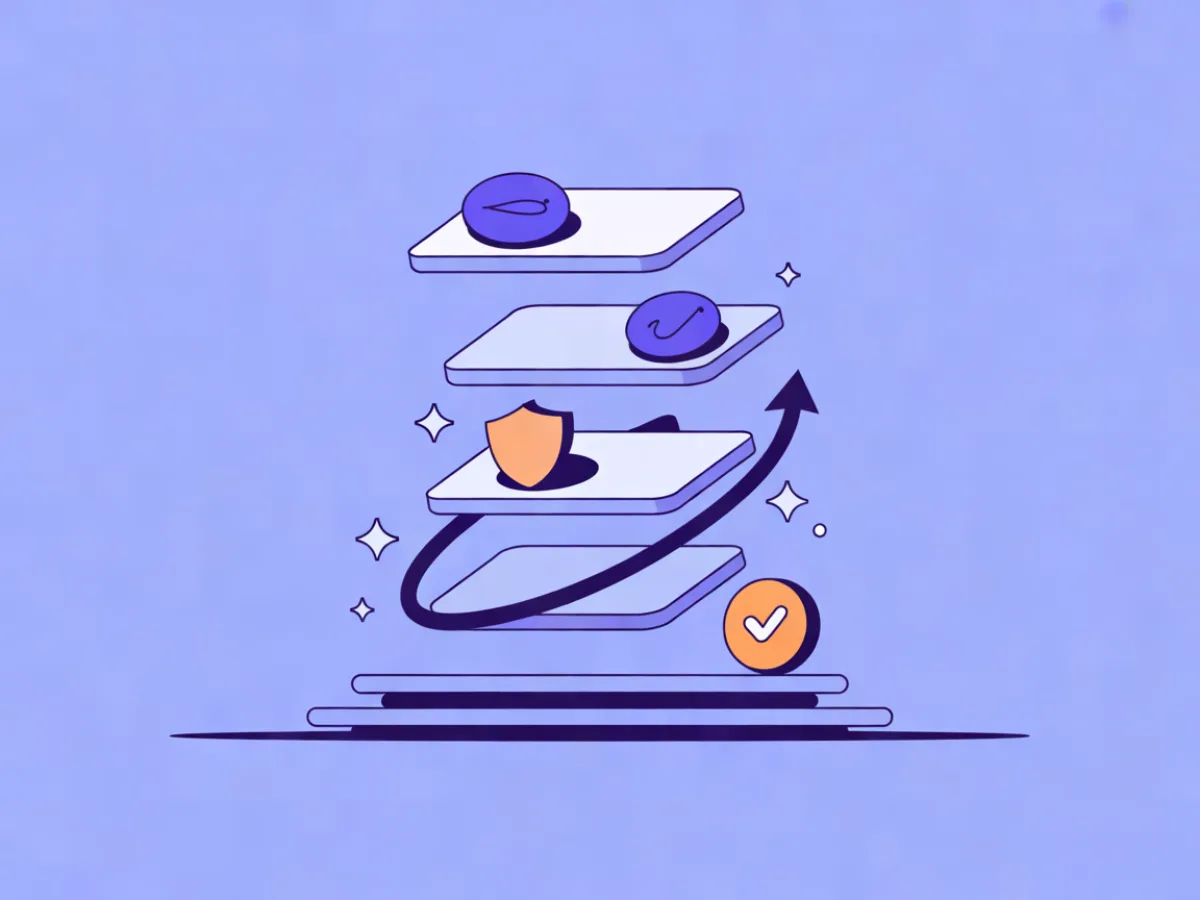
The ranking used here has three tiers:
- Tier 1 — Permission, authentication, list hygiene. Mistakes here are hard to reverse. A domain with a poor sending reputation takes months to repair, and a contact who never consented cannot be un-emailed.
- Tier 2 — Relevance, segmentation, personalization. This is the biggest lever on engagement, and it is where most teams have the most room to improve.
- Tier 3 — Cadence, mobile rendering, testing. Lower leverage per change, but they compound, and they are the easiest to skip.
A low tier is not optional. It is just lower leverage. Each section below ends with a "do this week" action so you can work through the list in order rather than trying to fix everything at once.
How the ranking works
The logic behind the ordering is simple: work from the outside in. The inbox provider decides whether your email is delivered at all. The contact decides whether it is opened, read and acted on. Your job is to remove the reasons each of them might say no.
Tier 1 removes the reasons the inbox provider says no. Authentication proves you are who you claim to be; permission and hygiene prove you are sending to people who expect to hear from you. Get these wrong and your best campaign lands in spam.
Tier 2 removes the reasons the contact says no. A relevant email to a well-defined segment outperforms a beautifully designed email to everyone, almost every time. Tier 3 is about consistency: a sustainable cadence, a template that survives a phone screen, and a testing habit that produces decisions rather than noise.
Tier 1: Practices that protect the inbox
These three practices are the floor, not the ceiling. If any of them is broken, fix it before you touch anything else.
Permission and consent you can prove
Explicit opt-in means the contact took a clear action to join your list — filling in a form, ticking a box, confirming a signup. Implied consent means you are assuming permission from some other relationship, such as a business card or a conference attendee list. Implied consent is risky: it is hard to prove, and it produces the complaints that damage your sending reputation.
Double opt-in adds a confirmation step: the contact submits a form, then clicks a link in a confirmation email. It reduces list size slightly and improves list quality, and it gives you a timestamped record of consent.
The common mistake is importing a purchased, scraped or borrowed list. Even a well-meaning conference list is a problem if attendees did not agree to receive marketing from you. The second most common mistake is having no record of where each contact came from, which means you cannot tell a legitimate list from a risky one.
Do this week: audit where each segment of your list came from. Remove anything you cannot document. If you are rebuilding, use embeddable signup forms with double opt-in and consent records so the proof is captured automatically. For EU audiences, check that your platform supports data export, erasure requests, consent logs and configurable retention — Mailerflow covers these and hosts data in Europe.
Authentication: SPF, DKIM and DMARC
These three DNS records are how you prove an email genuinely came from your domain.
- SPF lists the servers allowed to send mail for your domain.
- DKIM adds a cryptographic signature so the receiving server can verify the message was not altered in transit.
- DMARC tells receiving servers what to do when a message fails SPF or DKIM, and where to send reports.
DMARC alignment is the part people miss. It is not enough to have a DMARC record; the domain in the From address needs to align with the domain that passed SPF or DKIM. Sending from a shared platform domain, or leaving DMARC at p=none forever without reading the reports, are the two most common failures.
Do this week: check your DNS records and confirm alignment. If you are setting this up from scratch, a platform that walks you through guided DKIM, SPF and DMARC setup with automatic verification removes most of the guesswork — Mailerflow does this for own-domain sending.
List hygiene and suppression
Hard bounces are permanent failures: the address does not exist. Soft bounces are temporary: a full mailbox, a greylisted server. Complaints are contacts marking you as spam. All three should be suppressed automatically, not handled by hand.
The mistake that does the most damage is re-importing bounced addresses on the next CSV upload. If your import does not check for duplicates and validity, you will keep mailing dead addresses and your reputation will keep sliding.
Do this week: confirm your platform suppresses bounces and complaints automatically, and that imports check duplicates and validity. Mailerflow does both, and pairs them with reputation monitoring and warm-up limits so a new domain ramps up gradually.
Tier 2: Practices that drive engagement
Once the email can land, the question becomes whether it should. This tier is where most results are won.
Relevance: segment before you send
Segmentation means splitting your list by something meaningful: profile fields, tags, engagement history, events, or website behavior. A static list is a snapshot. A dynamic segment updates itself as contacts meet or stop meeting the condition.
A concrete example: a segment of contacts who viewed your pricing page in the last 14 days but have not started a trial. That segment is small, timely and obviously worth emailing. A single newsletter to the whole list is not.
The common mistake is one newsletter for everyone, usually justified as "we do not have enough data." You almost certainly do: signup source, plan, last click, last open and pages visited are enough to build a first useful segment.
Do this week: build one dynamic segment and send your next campaign only to it. If writing segment logic is the blocker, Mailerflow's dynamic segments cover fields, tags, engagement, events and website behavior, and AI segmentation can build one from a plain-language description.
Personalization that is not just a first name
Merge-tag personalization inserts a field: Hi {{first_name}}. Behavioral personalization changes the content based on what the contact actually did — the guide they downloaded, the product they viewed, how long they have been inactive.
A realistic example: instead of a generic re-engagement email, send a short note referencing the specific resource a contact downloaded three weeks ago, with one next step attached to it. That is a different email from the one you would send to someone who never downloaded anything.
The common mistake is personalizing so aggressively that it reads as surveillance, or shipping a broken fallback that produces "Hi ,". Always test the empty-field case.
Do this week: pick one behavior you already track and write one email that responds to it. Mailerflow's AI personalization steps and website-behavior data can feed this, but the decision about which behavior matters is yours.
Subject lines and preview text as one unit
In most inboxes the subject line and preview text sit next to each other, so they are read together. If the preview text repeats the subject line, you have wasted half the space.
Two illustrative examples (not real campaigns):
- Subject: "Your trial ends Thursday" / Preview: "Here is what happens to your data, and how to keep it."
- Subject: "We changed the pricing page" / Preview: "Three plans became two. Here is which one you are on."
The common mistake is clickbait the body does not deliver on. It may win the open and lose the trust.
Do this week: rewrite your next subject line and preview text as a pair, with each doing a different job. If you want a starting point, Mailerflow's AI email builder generates subject lines and preview text from a description of the email.
Tier 3: Practices that compound over time
These are lower leverage per change but they compound, and they are the easiest to skip.
Cadence and send timing
A sustainable cadence is one you can hold for a year without your engagement rate collapsing. "More email" is not a strategy; it is a way to train your list to ignore you.
Use engagement to decide frequency. Contacts who open and click regularly can hear from you more often. Contacts who have not engaged in months should hear from you less, or not at all until a re-engagement attempt.
"Send when the contact is most active" means scheduling each send to land near the time that individual historically opens. It is a small lift per email and a meaningful one across a list.
The common mistake is sending daily during a launch and then going silent for a month. Both extremes hurt: the first burns goodwill, the second makes you forgettable.
Do this week: write down your intended cadence and compare it against the last 90 days of actual sends. Mailerflow supports scheduling and a send-when-most-active option in automations if you want to test it.
Mobile-first rendering
Most opens happen on a phone, and a template that looks fine in a desktop preview can break badly on a small screen. Watch for tap targets that are too small, multi-column layouts that collapse into unreadable stacks, images that are too heavy, and dark mode inverting colors you did not plan for.
The common mistake is testing only in the desktop preview inside your email tool. The only test that counts is opening the email on a real phone.
Do this week: open your last campaign on your own phone and click every link. If you are rebuilding the template, a responsive design generated from a description — as Mailerflow's AI email builder does — plus a visual block editor gives you a layout that adapts without hand-coding.
Testing: A/B and beyond
Test one variable at a time: subject line, offer, send time, or a single layout change. Do not test five things at once, because you will not know which one moved the result.
Sample size matters. Calling a winner after 40 opens is guessing. Decide the metric before you send — click rate is usually a better decision metric than open rate, since opens are approximate.
The common mistake is testing subject lines when the offer is the real problem. If nobody wants the thing, a better subject line just gets more people to look at something they do not want.
Do this week: pick one variable and one metric before your next send. Mailerflow supports A/B testing of campaigns if you want the split handled for you.
Worked examples
These are illustrative scenarios, not customer stories.
B2B SaaS with a dormant trial segment. A team notices trials that stall after day three. They build a dynamic segment: started a trial, no login in the last 7 days, not converted. They send one short email offering a 15-minute setup call, with no discount. The decision list: segment by event and inactivity, one clear offer, one metric (reactivation rate within 7 days).
Ecommerce browse abandonment. A store triggers an automation when a contact views a product page twice in 48 hours without adding to cart. The email shows the product, one line of social proof from the product page, and a link back. Decisions made: trigger on behavior rather than a fixed schedule, cap the automation at one send per product per week, measure click-to-cart rate.
Newsletter fixing a deliverability dip. A publisher sees complaints rise and opens fall. They fix authentication alignment, remove contacts with no engagement in 12 months, and cut cadence from daily to twice weekly. Decisions made: fix Tier 1 before touching content, define "unengaged" explicitly, hold the new cadence for 90 days before judging it.
Common mistakes that undo good practice
- Buying or scraping lists. Fix: delete them. There is no recovery path.
- Ignoring bounces. Fix: confirm automatic suppression is on.
- No DMARC, or
p=noneforever. Fix: set up reporting and read it. - One-size-fits-all sends. Fix: build one segment this week.
- Over-mailing during launches. Fix: set a cadence ceiling and hold it.
- Desktop-only testing. Fix: open every campaign on a phone.
- No consent records. Fix: capture double opt-in with timestamps.
- Treating opens as exact. Fix: use clicks for decisions; opens are approximate.
- Never cleaning inactive contacts. Fix: define "unengaged" and act on it quarterly.
The checklist
Tier 1
- [ ] Can I document the source of every contact on my list?
- [ ] Is double opt-in enabled where consent needs to be provable?
- [ ] Are SPF, DKIM and DMARC published and aligned?
- [ ] Are bounces and complaints suppressed automatically?
- [ ] Does my import check duplicates and validity?
Tier 2
- [ ] Do I have at least one dynamic segment I send to regularly?
- [ ] Does at least one email respond to a behavior, not just a field?
- [ ] Do my subject line and preview text do different jobs?
- [ ] Does the body deliver on the subject line's promise?
Tier 3
- [ ] Is my actual cadence close to my intended cadence?
- [ ] Have I opened the last campaign on a real phone?
- [ ] Do I test one variable at a time with a metric chosen in advance?
- [ ] Do I have a definition of "unengaged" and a plan for those contacts?
FAQ
How often should I email my list? There is no universal number. Start from what you can sustain and what your audience expects, then use engagement to adjust: more frequent for contacts who consistently open and click, less frequent for those who do not. If unsubscribes and complaints rise while clicks stay flat, you are sending too much.
Do I need double opt-in? It depends on your audience and your legal exposure. Double opt-in produces a smaller but cleaner list and gives you a timestamped consent record, which matters for GDPR-style regimes. If you rely on implied consent, document exactly how it was obtained.
What is the difference between SPF, DKIM and DMARC? SPF lists which servers may send for your domain. DKIM signs the message so the receiver can verify it was not altered. DMARC ties the two together, tells receivers what to do when both fail, and sends you reports. Alignment between the From domain and the authenticated domain is what actually protects your reputation.
How many contacts do I need before segmentation is worth it? Segmentation is worth it as soon as you have more than one meaningful group — often a few hundred contacts. The value comes from the difference between groups, not the size of the list. Start with one split you can justify, such as trial users versus newsletter subscribers.
Should I delete unengaged contacts? Suppress rather than delete, so you keep the history and can re-engage later if the relationship changes. The exception is contacts you cannot document consent for; those should go. A common approach is to define a window — for example, no opens or clicks in 12 months — and run a re-engagement email before suppressing.
Can I send marketing and transactional email from the same domain? You can, but keep the streams separate. Transactional email (receipts, password resets) should go on its own lane so a marketing campaign's reputation problems do not delay a password reset. Mailerflow, for example, runs transactional email on a high-priority lane with templates and variables, separate from campaign sends.
If you want to work through this list in order, the practical starting point is Tier 1: prove your consent, fix your authentication, and confirm suppression is automatic. From there, build one segment and send to it. Mailerflow's features page covers the segmentation, automation and deliverability tooling described here, and pricing starts with a free plan if you want to test the workflow before committing.